

Get paid for every day of care
Seniorverse builds invoices from the attendance and services your staff already record. Submit claims, charge saved payment methods and post remittances automatically, with every balance in one place.
Invoices built from attendance records
Electronic claims with automatic remittance posting
Saved cards and bank accounts charged at finalize
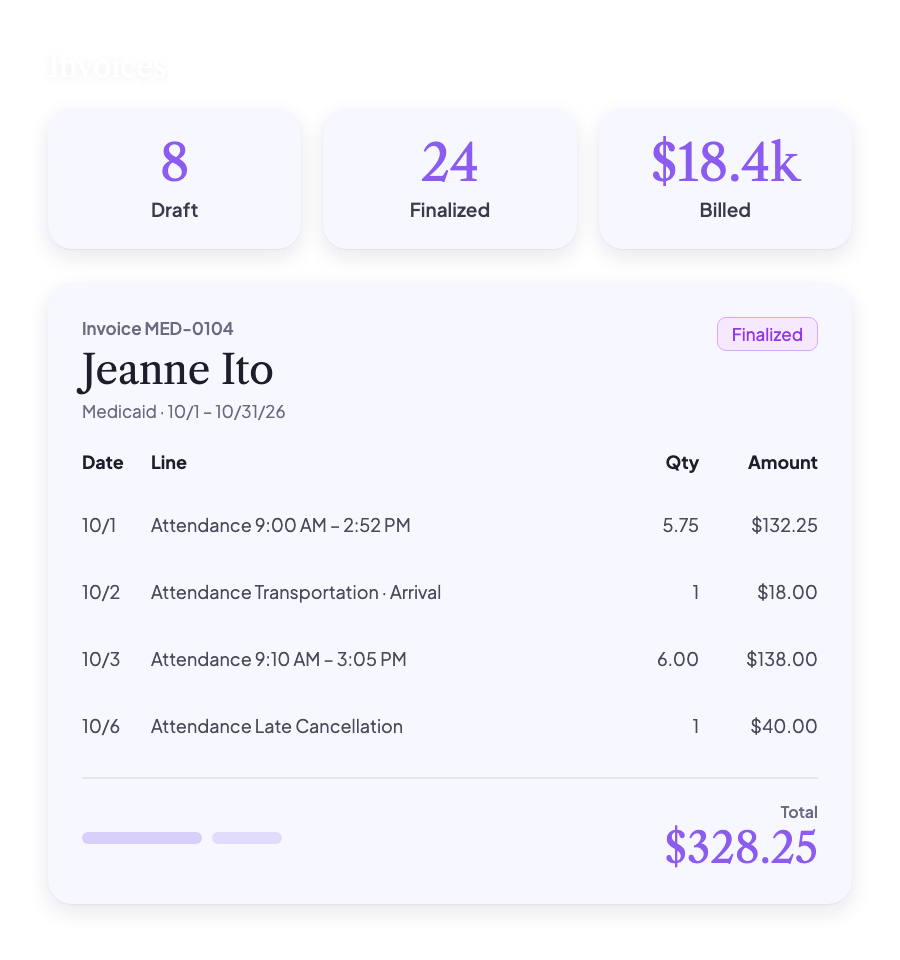
Invoices built from attendance
Seniorverse turns the attendance, transportation and services your staff already record into invoice lines. Each benefit type bills the way its payer expects, so invoices are ready to review instead of rebuilt from spreadsheets.
What it covers
Medicaid, VA and private pay benefit types
Individual, grouped and claims billing
Prepaid monthly plans with automatic overage
Cancellation and no-show fees
Transportation and ad hoc services
Needs Attention flags before you bill
Standard, envelope and grouped invoice layouts
CSV download for every invoice

Fewer missed charges, fewer corrections, and invoices that match the care delivered.
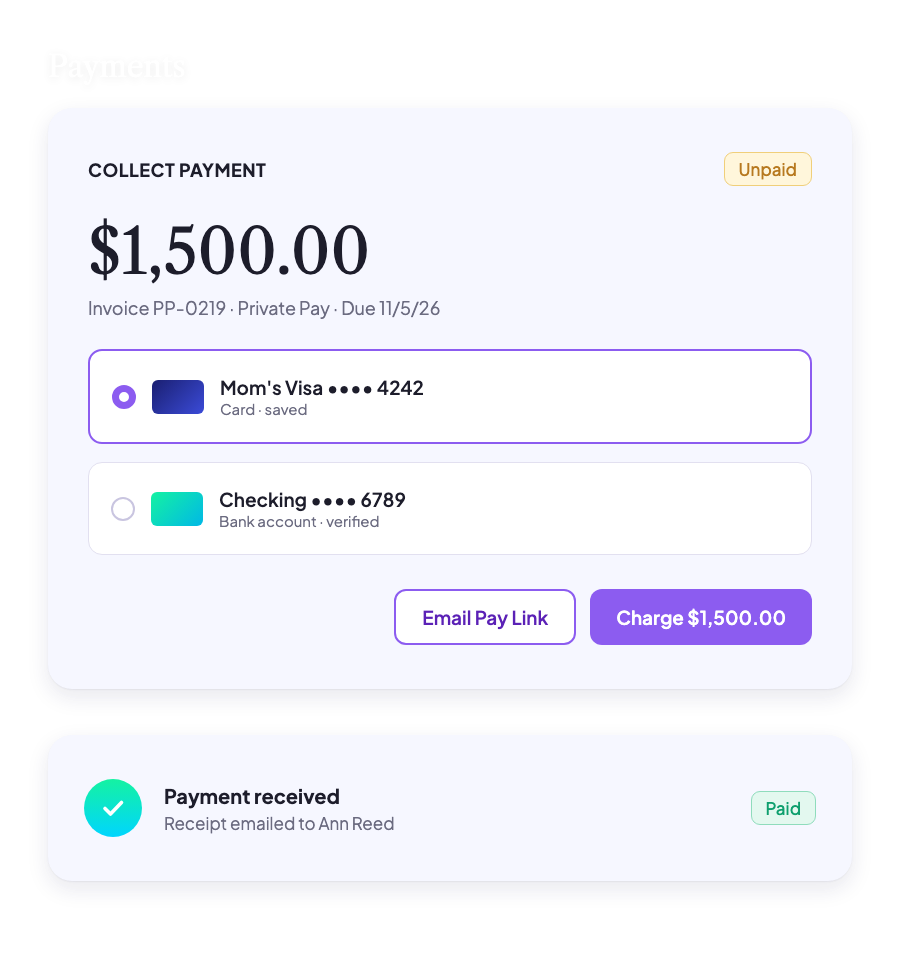
Payments and receipts
Charge a saved card or bank account the moment an invoice is finalized, email a secure Pay Now link, or record checks and cash. Payers get receipts by email, and each payment is applied to the invoices it covers.
What you can do
Saved cards and bank accounts charged at finalize
Secure Pay Now link on emailed invoices
Retry a declined card with the reason shown
Record checks, cash and other payments
Receipt and payment emails sent automatically
Refunds and credits shown on the invoice
Faster collections and less time chasing balances.
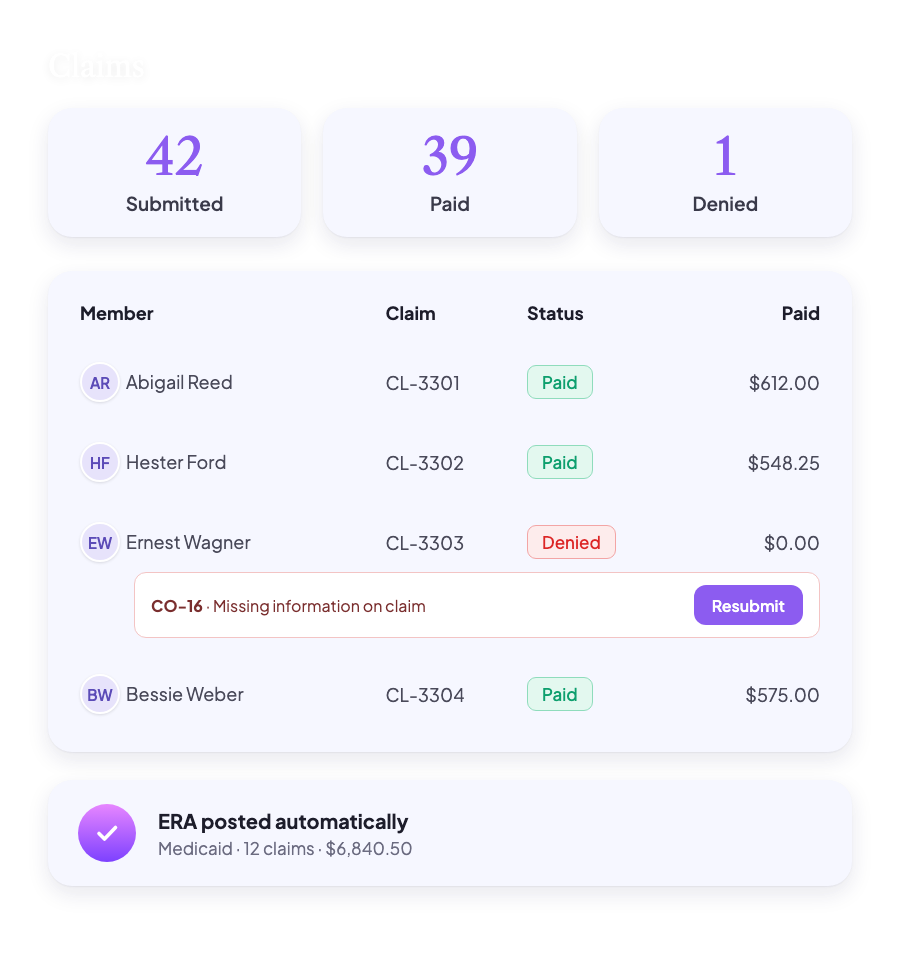
Claims and remittances
Submit claims electronically when you finalize an invoice. Remittances (ERAs) post to each claim on their own, and denials come back with the payer's reason codes so you can correct and resubmit without digging.
What it includes
Electronic claim submission at finalize
ERA payments posted to claims automatically
Denial reason codes, ready to correct and resubmit
AR Aging, Spend Summary and Invoice Lines reports
Less time reconciling remittances and chasing denials.
What a billing cycle with Seniorverse looks like

Operations
Staff record attendance, transportation and services through the day, and each record carries what it needs to bill.

Before billing
The Billable view flags anything missing a benefit or charge code, so it's fixed before an invoice goes out.

Billing day
Invoices draft from the period's records. One finalize step submits claims, charges saved cards and bank accounts, or emails a pay link.

Getting paid
ERAs post payments to each claim automatically. Denials come back with the payer's reason codes, ready to correct and resubmit.
Why billing belongs with your care records
When billing lives in a separate system, every invoice starts with re-keying attendance, and every mistake turns into a correction or a denied claim.
With billing in Seniorverse, centers see:
Invoices that match the care delivered
Fewer denials, and quicker resubmission when they happen
Faster payment from saved methods and pay links
Clear balances for every member and payer
Less time spent on month-end billing
When invoices come straight from attendance, month-end billing stops being a project.

Explore more of Seniorverse
Seniorverse is built as one connected system where every tool works together to support your center.


Ready to see
billing in Seniorverse?
See how invoices, payments and reports come straight from the records your staff already keep.
Bill Medicaid, VA and private pay from one system
Submit claims and collect payments in one step
Know every balance at a glance